

Integrations
Integrations overview
Connect your team’s chat, issue tracker, and code host to Gleamrun. Choose an integration below for setup instructions and supported workflows.

Slack
Ask questions, create tasks, launch agents, and receive pull requests from Slack. View setup

Microsoft Teams
Ask questions, create tasks, and follow agent work from Teams conversations. View setup

Connect Telegram
Connect your workspace bot, ask questions, and act on proposals or send messages. View setup

GitHub
Connect repositories and respond to pull request comments with the Gleamrun GitHub PR bot automation. View setup

GitLab
Attach gitlab.com projects through a bot user and run automations from merge requests and pipelines. View setup

Linear
Assign or mention Gleamrun on an issue, then sync progress between both tools. View setup

Jira
Route projects to stacks and start work by assignment, label, or mention. View setup
Bitbucket Cloud
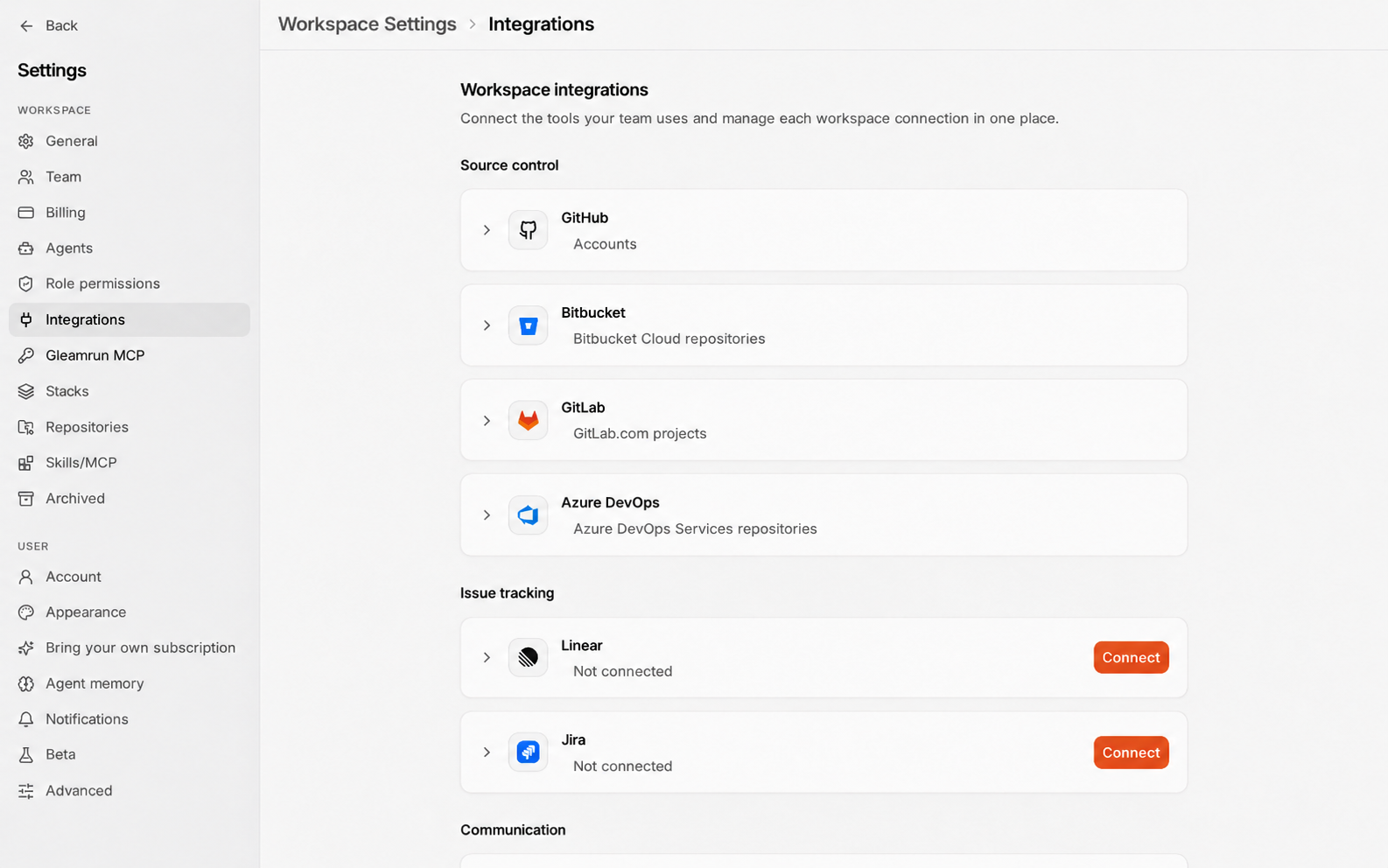
Owners and admins connect the bot account under Workspace Settings → Integrations →
Bitbucket. Add its repositories to a stack from Repositories → Add Repository on the Bitbucket tab.
Use the Gleamrun Bitbucket PR Bot automation template to respond to @Gleamrun pull request comments.
Where integrations live
Integration settings group connections under Source control, Issue tracking, and Communication.
- Workspace integrations: owners and admins connect chat and issue tracker services from Workspace Settings → Integrations.
- GitHub accounts: connect a personal or organization account from Workspace Settings → Integrations → GitHub, then add code from Stack → Repositories → Add Repository.
- GitLab projects: owners and admins connect a GitLab bot user from Workspace Settings → Integrations → GitLab; see GitLab.
- Agent tools: connect services such as Notion, Sentry, and Figma to an individual stack through MCP.