

Core Concepts
Agent Engines & Subscriptions
Choose the engine and model for the work, then choose how to pay. The engine selects the coding agent, and the model determines its capabilities. Pay with shared workspace credits or an eligible personal subscription.
Available engines
| Engine | Use it for | Connection |
|---|---|---|
| Claude | General product and code work with Claude models. | Gleamrun credits, or a connected Claude subscription where available. |
| Codex | General product and code work with OpenAI models. | Gleamrun credits, or a connected ChatGPT subscription. |
| Pi | Search the live OpenRouter model catalog and choose a model, billed to your OpenRouter account. | An OpenRouter API key saved in User Settings. Launch Agent hides Pi until the key is saved. |
Pi lists models that support tools, text output, and a zero-data-retention endpoint. Availability changes with OpenRouter’s catalog. Search by model name rather than relying on a fixed list.
Connect a personal subscription
- Open the user menu at the bottom of the sidebar and choose Settings.
- Under User, open Bring your own subscription.
- Connect ChatGPT, Claude, or OpenRouter and complete the provider's sign-in or key flow.
- Launch a task and choose the engine and model that the connection makes available.
Choose a Claude connection
Choose OAuth to sign in through Claude and let the connection refresh automatically.
Alternatively, choose Setup token if you have Claude Code installed locally.
Run claude setup-token, paste its token into the setup-token field, and select Connect setup token. Setup tokens do not refresh automatically. Paste tokens
only into the connection form, never into a Chat thread or task.
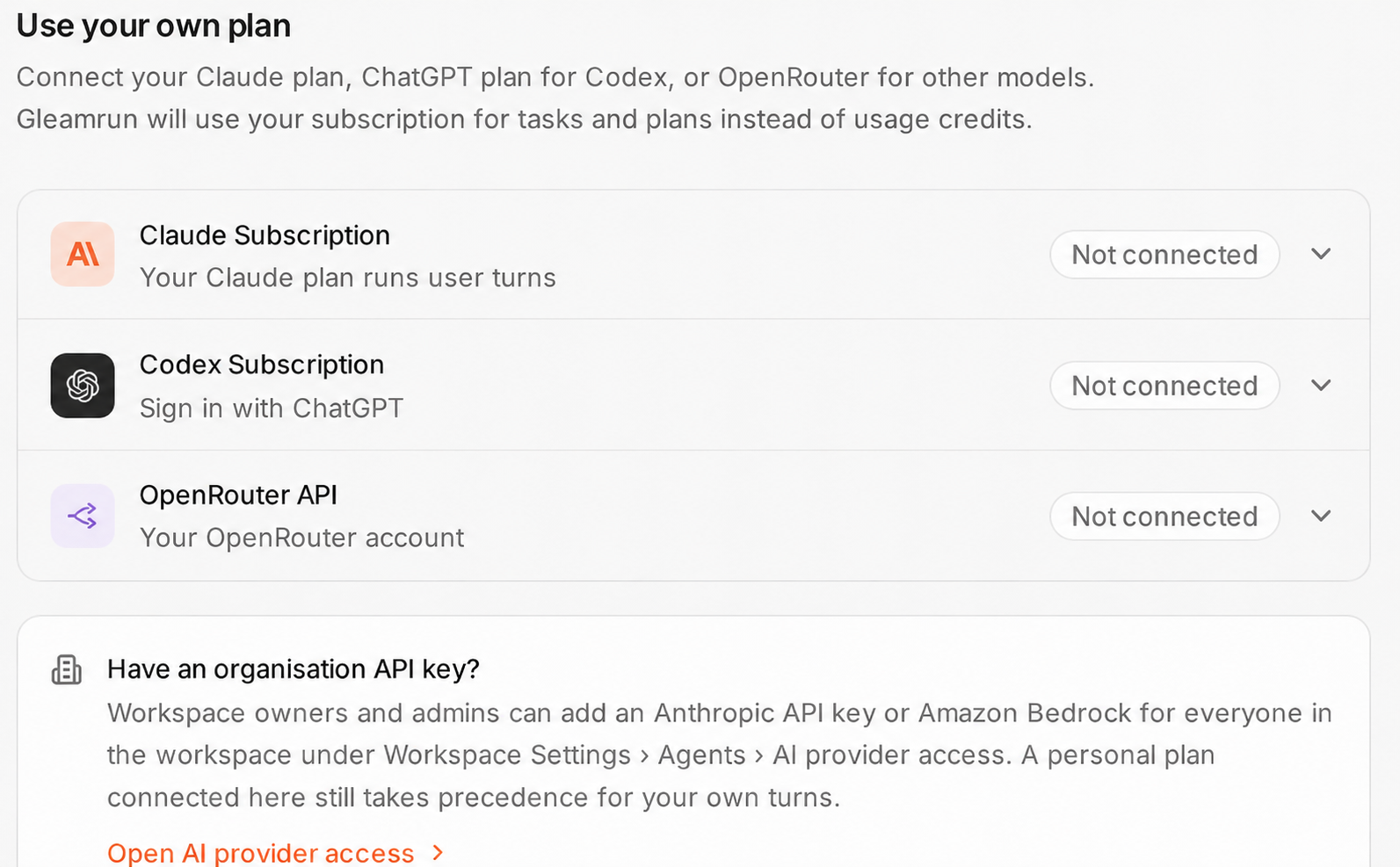
A subscription belongs to you. The task, branch, pull request, permissions, and audit history still belong to the workspace.
Subscriptions and workspace billing
Manage the workspace plan, seats, and shared Gleamrun credits in Workspace Settings to Billing. Connect personal agent accounts in User Settings to Bring your own subscription. Connecting a provider does not change the workspace plan or share your subscription with other members.
Connecting ChatGPT switches your default engine to Codex if your default is Claude or unset and you have no Claude subscription connected.
Choose defaults
Choose from your available engines and models in the Launch Agent dialog. Select Set as default to reuse the choice, or change it for one task.
Automations use the run-as user’s saved engine and model, regardless of the last choice in your browser. The automation’s stored engine applies only when that user has no saved default.
Run-as and automations
An automation runs with the permissions and eligible subscription of its run-as user. If that person loses workspace access or disconnects the required provider, future runs may fail or use an allowed fallback. Check Automation Activity for the identity and model resolution used by a run.
Continue after a subscription limit
When a Claude, ChatGPT, or OpenRouter session pauses at its usage limit, the banner offers Continue on workspace credits. It keeps the same conversation and model, and changes that session’s funding to workspace credits. Your personal connection stays saved.
The model must have a workspace-credit equivalent, and the workspace must be able to fund it. If the switch is unavailable or fails, wait for your provider allowance to reset or start work with another eligible model.
Connection problems
- Engine is missing: finish its connection in Bring your own subscription, then reopen the launch dialog.
- Sign-in expired: choose Disconnect from the row's menu and connect again. Existing task history and branches are unaffected. A session paused with Your Claude connection expired moves to the new Claude connection on your next follow-up; only the session owner can reconnect it.
- Model is unavailable: choose another model included by that provider or use the Gleamrun credit lane.
- Automation cannot run: check the run-as user, subscription, permissions, and Activity reason.
See Billing & Seats for workspace credits and plans.